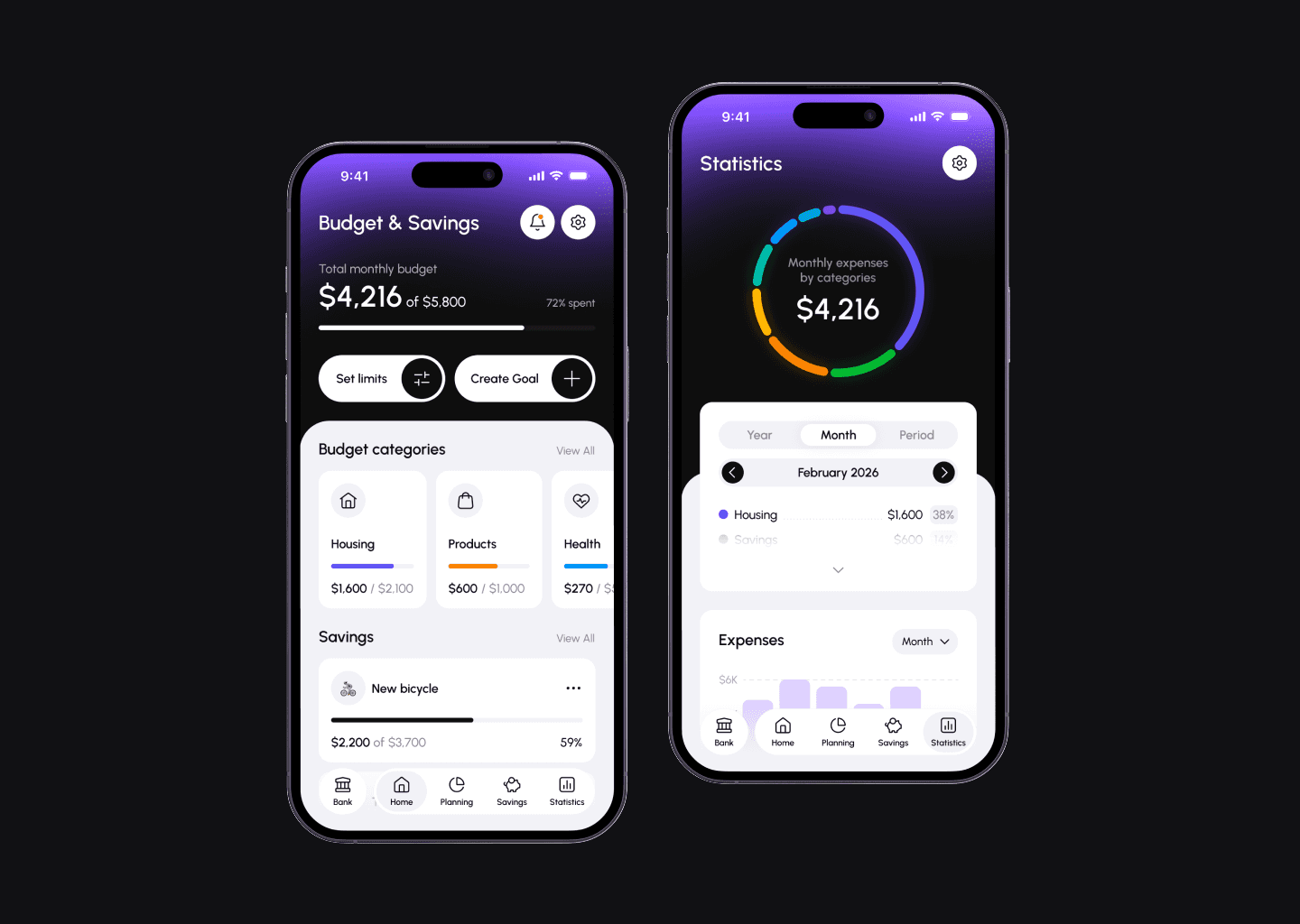
Budget planning in mobile banking
Designed a concept for budget planning and savings in mobile banking with the aim of increasing retention, attracting new customers, and growing the number and volume of deposits.
Context and goal
The goal is to integrate a convenient tool for monitoring expenses, planning limits, and savings into the familiar mobile bank so that users do not have to switch between separate applications and spreadsheets.
The product helps users better control their finances and replaces disparate tools where data must be entered manually. All work is done automatically through a connection to mobile banking: transactions are pulled from card transactions, and budgets and limits are updated in real time.
Problem and challange
The key challenge was to figure out how the feature would work with real bank accounts and money. I needed to understand how limits are calculated, how card transactions are recorded, and how to show overspending, automatic debits, and funds being frozen for specific purposes.
There were no formal restrictions on time or resources—this was a study case, which allowed me to focus on scenarios and logic without having to adapt to the existing system.
Hypothetical metrics we influence
Increased retention — users have a reason to return to the app regularly: to track limits, progress toward goals, and spending statistics.
Increased acquisition — the “smart budget planning” feature can be used as a competitive advantage in marketing and a reason to open an account with this particular bank.
Increased amount of money in accounts and deposits — the feature works on top of the actual money in the account: part of the funds is distributed according to limits and goals, and it is beneficial for the user to keep them in the bank.
Research
I started with a brief dive into financial planning and existing solutions to understand common patterns and typical user problems.
Then I collected visual references of interfaces and described the main types of users:
Controller — wants to see where money goes, needs detailed statistics by period and category, and wants to create custom categories.
Impulsive — spends easily, values clear limits and alerts when overspending, as well as the ability to quickly adjust plans or “freeze” money for savings.
Saver — focuses on savings, wants to earn interest on savings (deposits) and have convenient automatic transfers to goals or transfers of remaining funds from categories.
Family — plans a joint budget and needs shared limits, common goals, and transparency of expenses.
To test my assumptions, I interviewed several acquaintances who already keep budgets and found out what tools they currently use and what they feel is missing. This helped me refine the key scenarios: what steps are important when creating a budget, what data should be on the main screen, and how people expect to see overspending and progress toward goals.
Key solutions and visual implementation
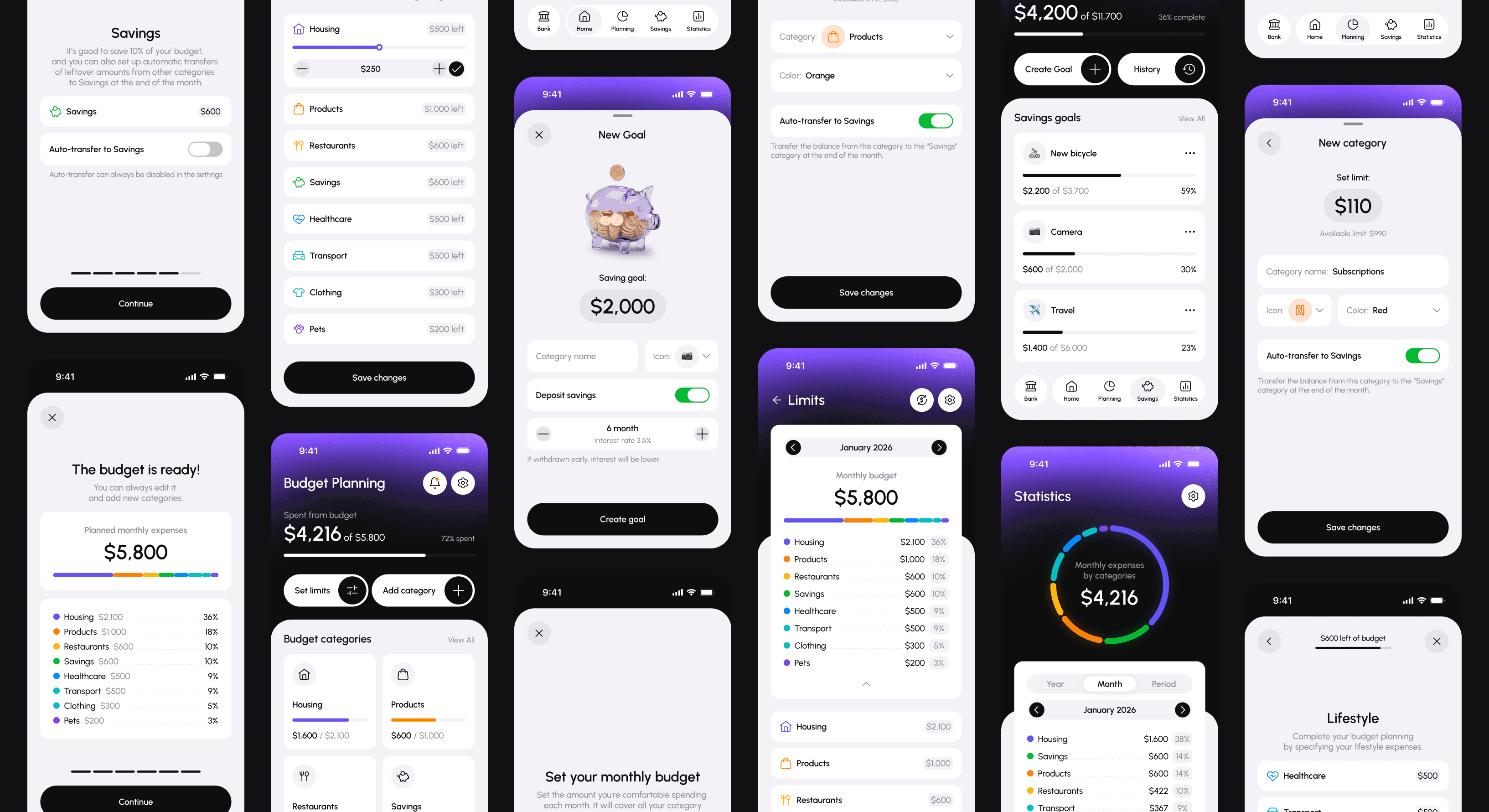
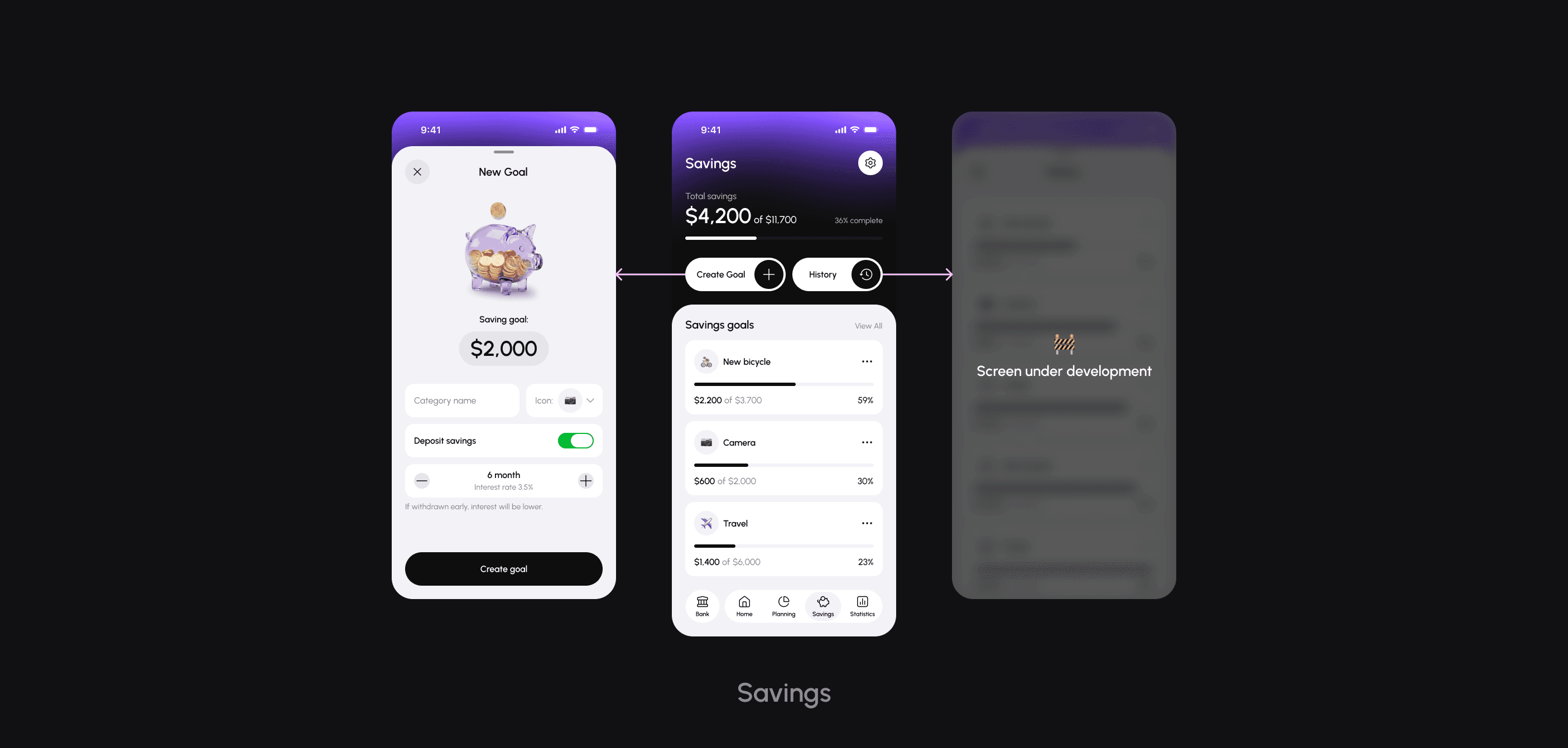
I described the main user flow and necessary screens: the main budget screen, step-by-step budget creation, setting limits, goals, overspending scenarios, and statistics. Then I put together a basic UI kit (colors, typography, basic components) and used it as a basis to develop the key screens that I show in the case:
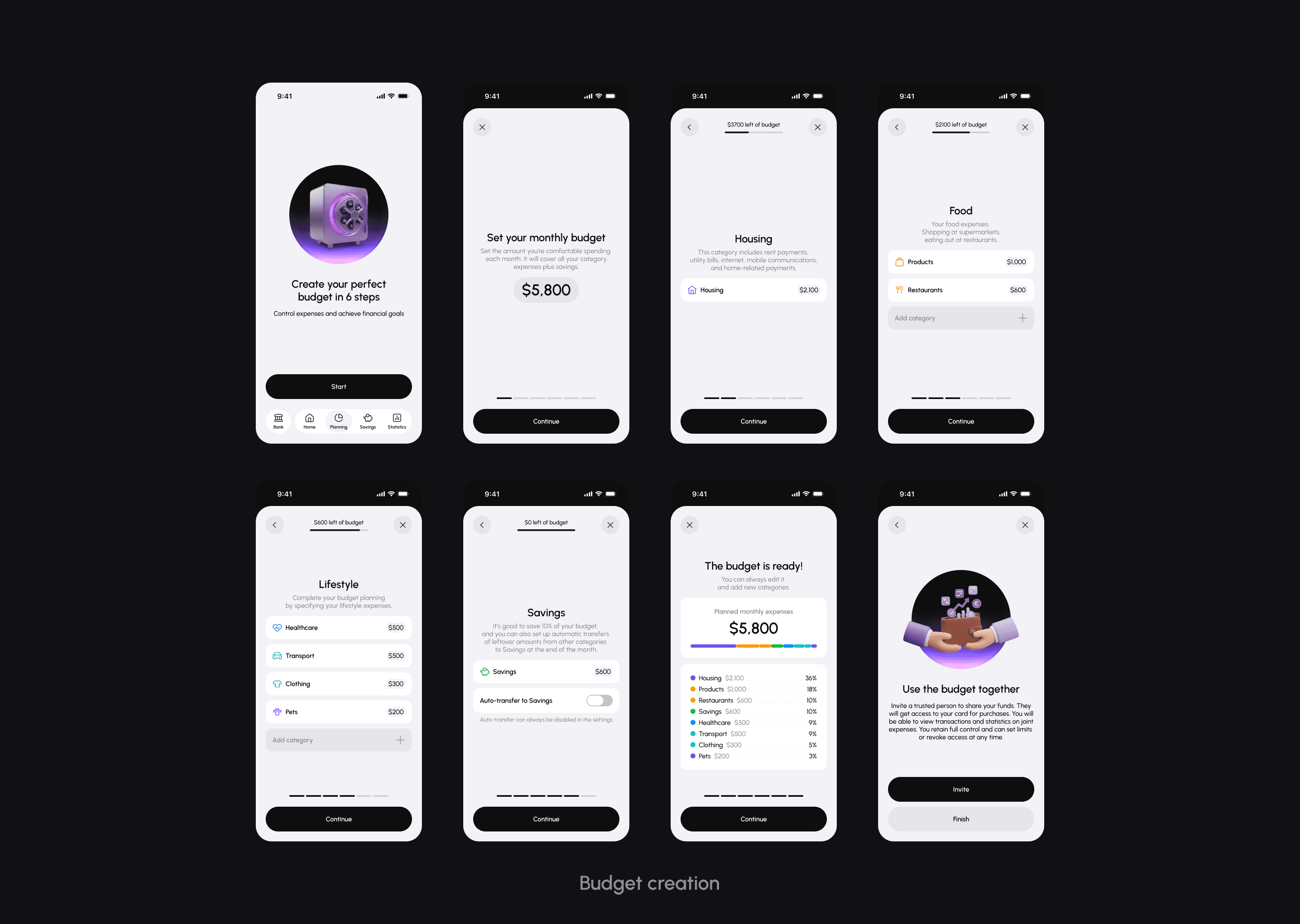
Step-by-step budget creation wizard
Instead of a long form, there is a sequence of steps: the user sets a total budget, selects categories, distributes limits, and sets goals, ultimately receiving a clear “ready-made plan.”
Joint budget for family scenarios
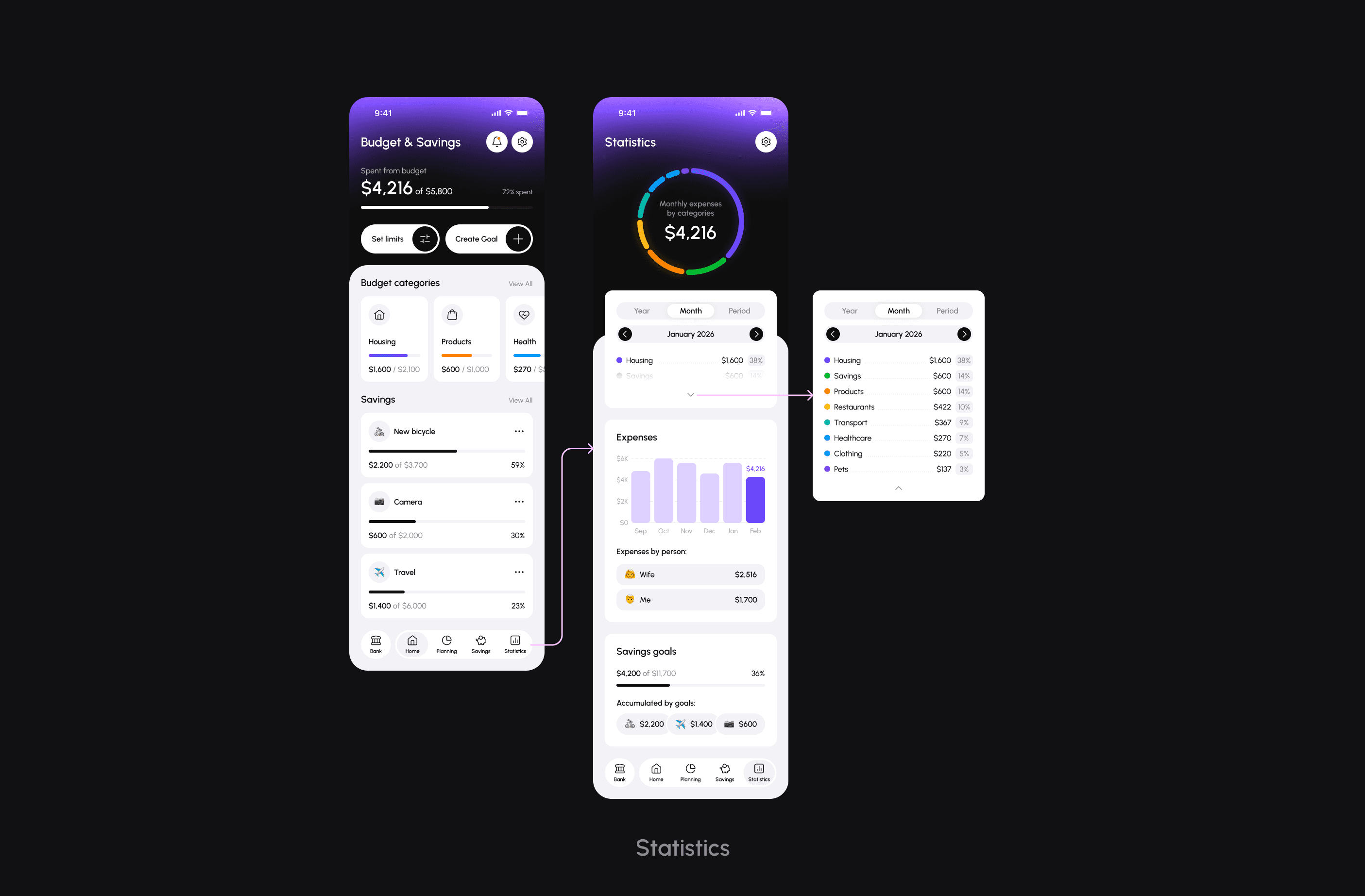
For partners or families, there are shared limits and goals that both partners can use, which increases transparency of joint expenses and simplifies planning.
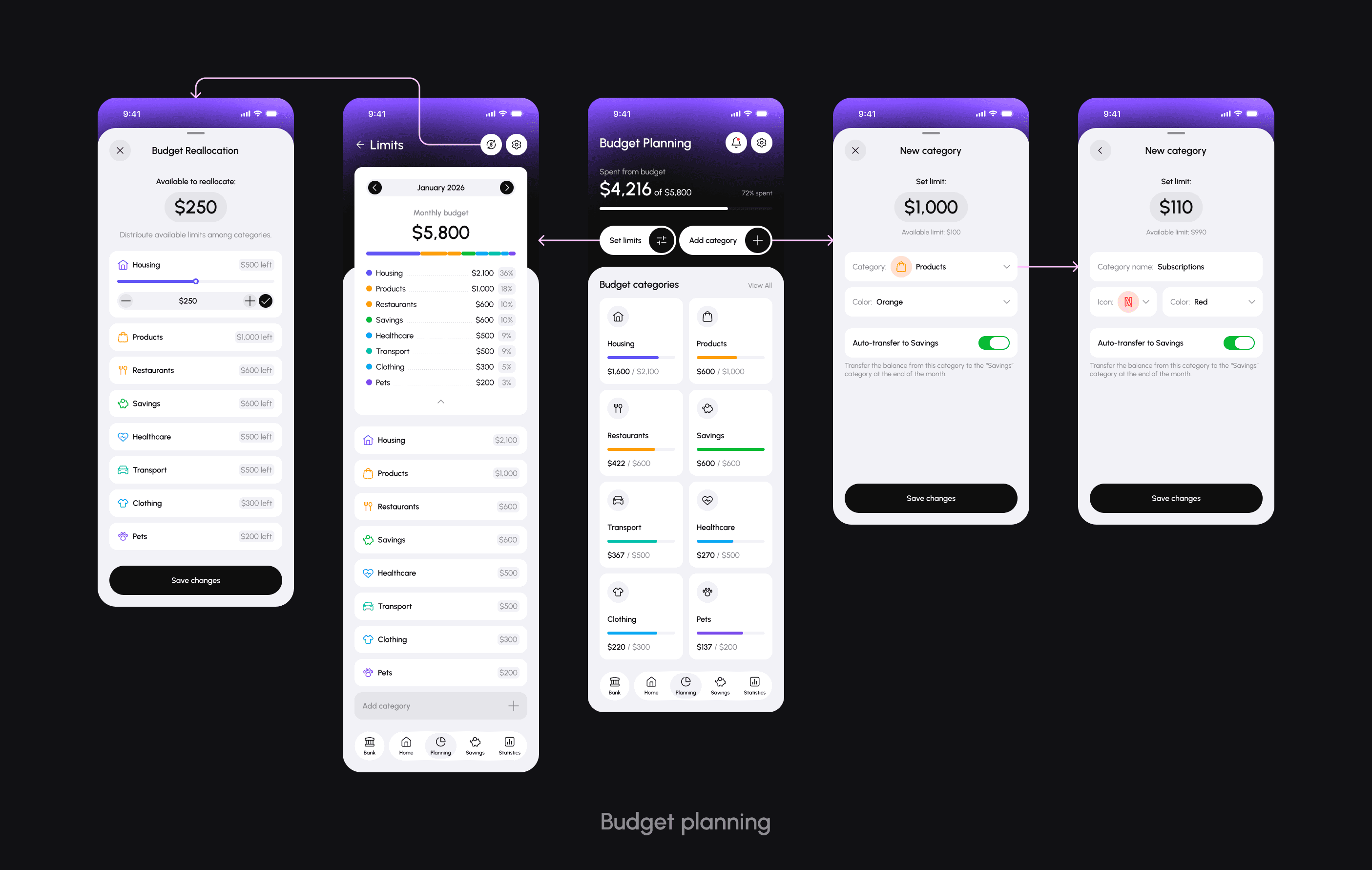
Limits by category with visual progress
Each category shows the limit and current spending as a progress bar, so you can quickly see where you are close to exceeding your limit and where you still have room to spare.
Alerts and overspending scenario
For impulsive users, a notification mechanism has been added: when the limit is approached and exceeded, the system suggests adjusting the budget and reallocating funds.
Goals, deposit
For the Saver, the focus is on goals: you can set a goal, set up automatic transfers, see your progress and if you wish reserve funds as a deposit for a certain period of time and earn interest on them.
Statistics and expense analytics
The statistics screen shows the dynamics of expenses by month, distribution by category, and the expenses of each participant in the overall budget, which helps you quickly assess the picture for the selected period and notice changes in financial behavior.
Personal conclusion
This project was an training in product thinking for me. The most difficult part was figuring out how the logic of limits, automatic write-offs, overruns, and deposits would work with real data while remaining simple and predictable for the user.
In a real product, more in-depth research, analytics, legal checks, and close collaboration with developers would be required, but even in the format of study case, I saw how the design of a financial product is tied to precise logic and careful work with user expectations.